
HOW TO ACCESS THE SPACE SYMPOSIUM APP
Connect, schedule meetings, access the agenda, and make the most of your Space Symposium experience.
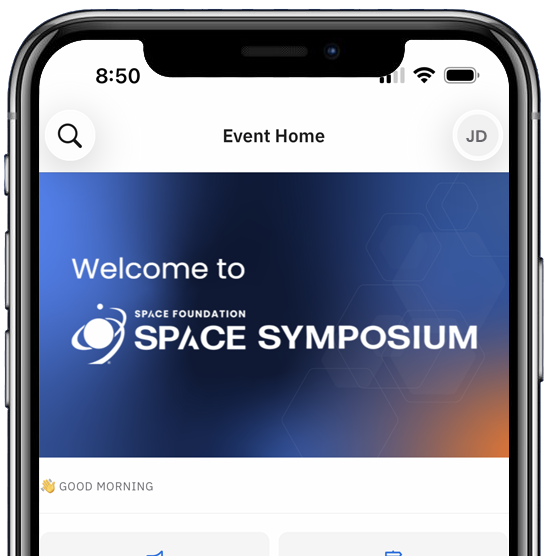
Follow These Simple Steps
01
Check Your Email
Before the event, you'll receive an email invitation from the Space Foundation Team with your personal access link.
Don't see it? Check your spam or junk folder.
02
Download the App
Mobile:
Download the Space Foundation Event app from the App Store or Google Play.
Desktop:
Click your personal event link to access the Space Symposium Event in your web browser.
03
Log In to the Event
Open the app or click your event link.
Enter the same email address you used to register for Space Symposium.
Follow the login instructions and enter the Join Code from your email invite.
04
Set Up Your Profile
To get the most out of the app, add your:
- Name, title, and organization
- Profile photo
- Interests and goals.
This helps the app recommend relevant people for you to meet.
05
Start Networking
Browse recommended connections
Send meeting requests to other attendees
Accept meeting invites from others
06
Book Meetings Onsite
Choose a time that works for both parties
Meetings can take place in designated networking areas at the event.
07
Explore the Event
Within the app, you can:
- View the agenda and sessions.
- See Speaker, Co-Sponsor and Exhibitor lists.
- Access important event updates.
Didn't get your email?
No problem. Download the app and enter the email address you used to register. You'll be able to request a new access code.


Access Space Symposium Sessions On Demand
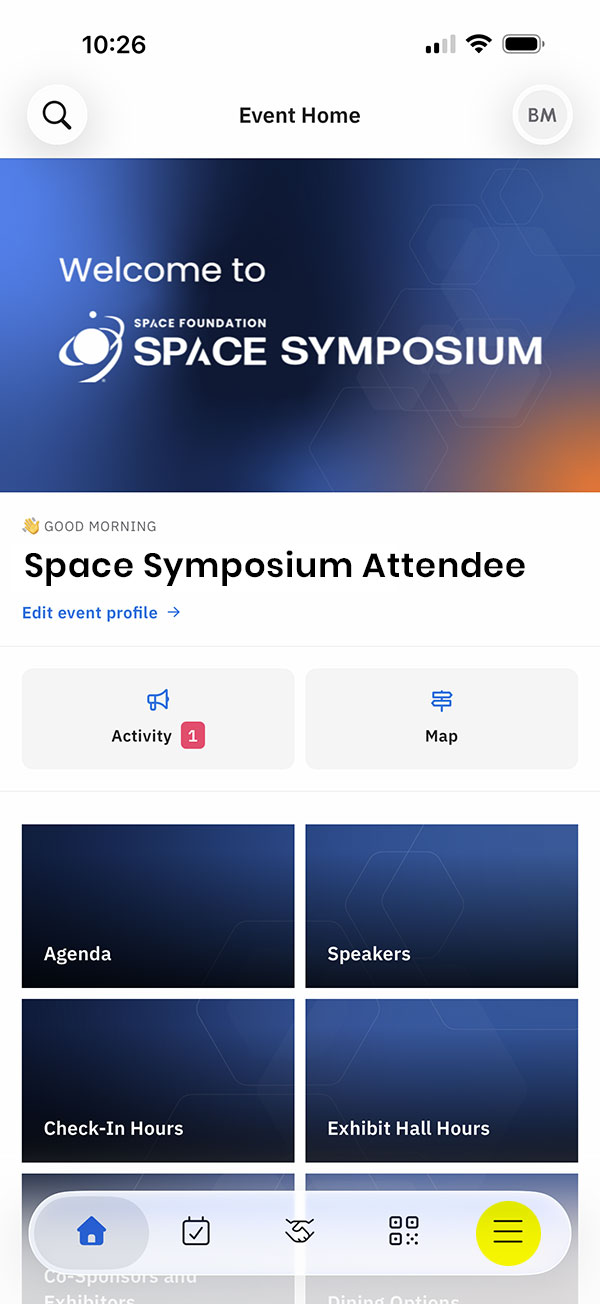
App Home Screen
From the app home screen, tap the menu icon at the lower right.
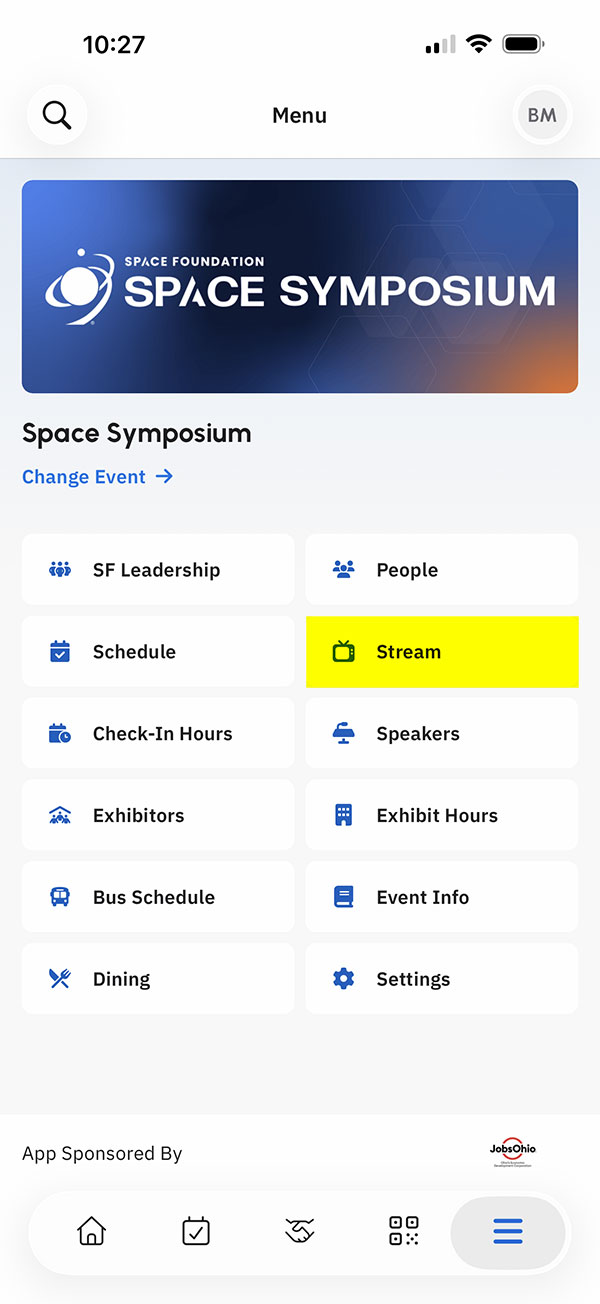
App Menu Screen
From the app menu screen, tap the Stream menu item.
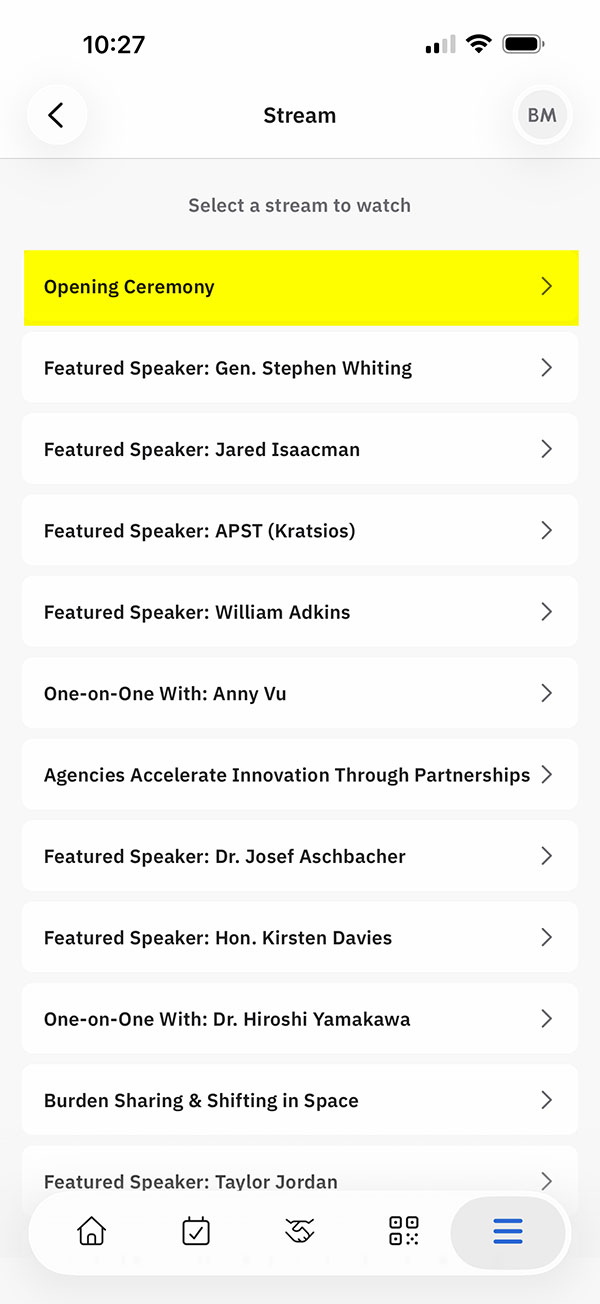
App Stream Screen
From the app steam screen, select the stream you'd like to watch.
Enjoy your Space Symposium Streaming Experience
Need Help?
If you have trouble accessing the app during the event, we're here for you.